How to Convert Your Humminbird XPLORE Fish Finder for Ice Fishing
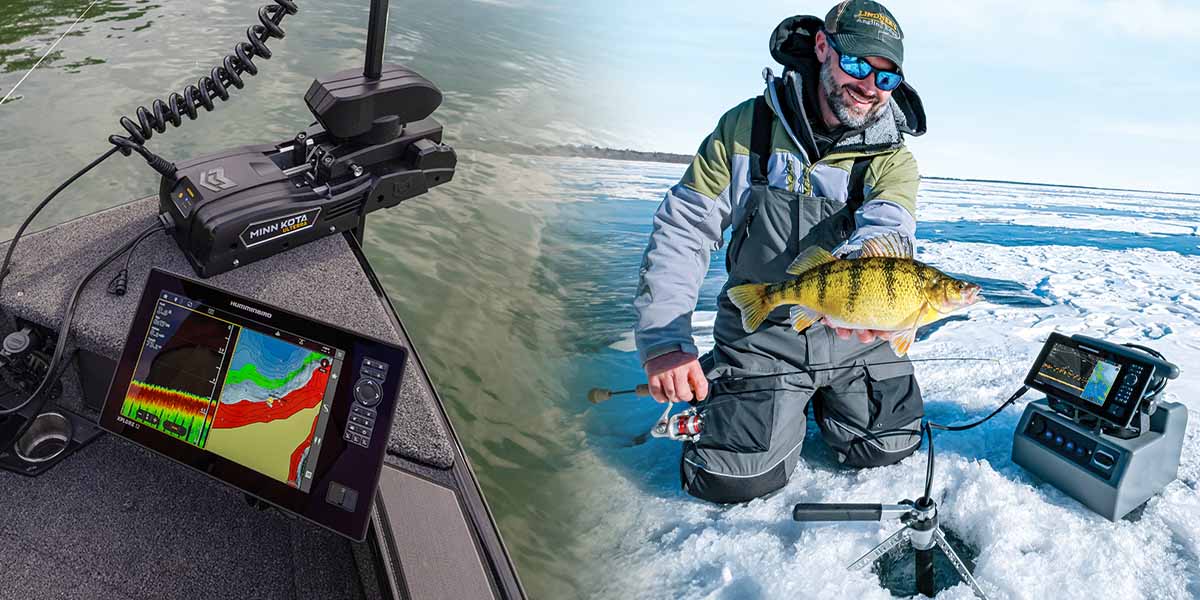
When the lakes freeze over, the fishing doesn't stop. It just shifts gears. If you're already running the new Humminbird XPLORE Fish Finder on your boat, good news: you can easily convert it for ice fishing, and take your sonar advantage onto the hardwater.
With just a few accessories, you can convert your XPLORE into a powerful ice fishing tool, giving you the same precision, clarity, and helpful features you rely on during open water season.
Here's everything you need to know to get your XPLORE ready for the ice.
What You Need to Convert Your XPLORE Fish Finder for Ice Fishing
To convert your XPLORE for ice fishing, you'll need three key components:
1. Humminbird ICE XPLORE Power Cable
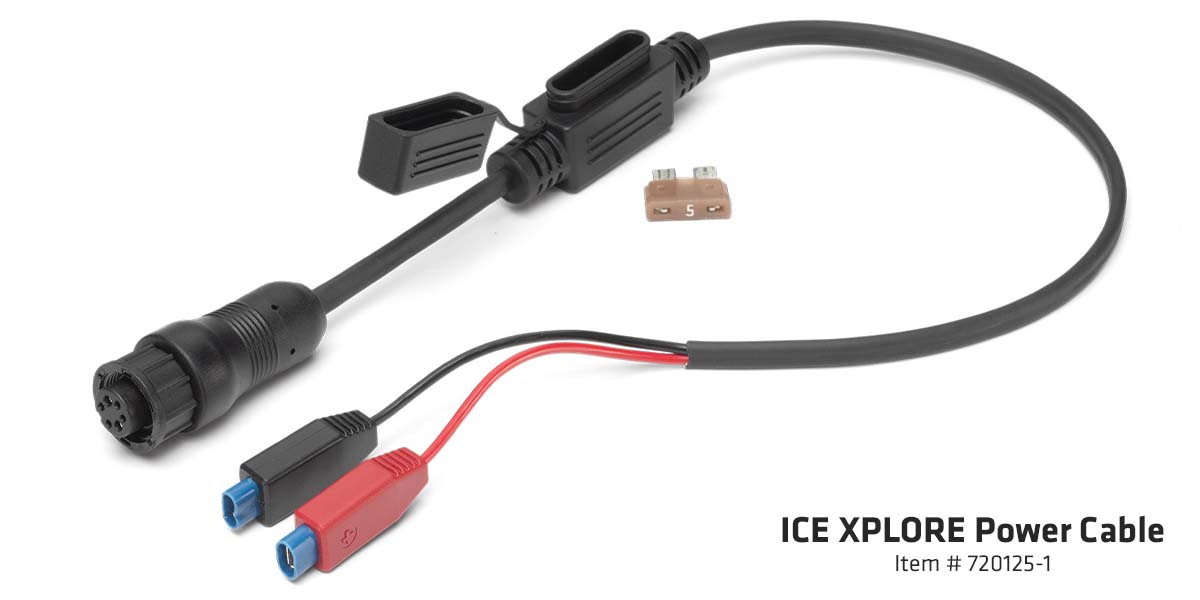
This ICE XPLORE Power Cable provides power to your XPLORE unit from a 12V battery, just like your open water setup, but optimized for ice fishing portability. The power cable is a compact 18" cable for easy cable management, comes with a 5Ah inline fuse for fuse protection, and spade connectors to easily attach to most ice fishing batteries.

2. Humminbird XPLORE ICE Transducer

The XI 14 HW Dual Spectrum CHIRP Transducer is designed specifically for ice fishing and extreme weather conditions. It delivers crystal clear sonar flasher or 2D sonar returns, and best-in-class target separation so you can fish with precision beneath the ice. It also comes with an adjustable float and depth collar for varying ice thickness.

3. Ice Fish Finder Shuttle for Your XPLORE
The next thing you need is an ice fishing shuttle to mount your XPLORE to.
Don't have a shuttle yet?
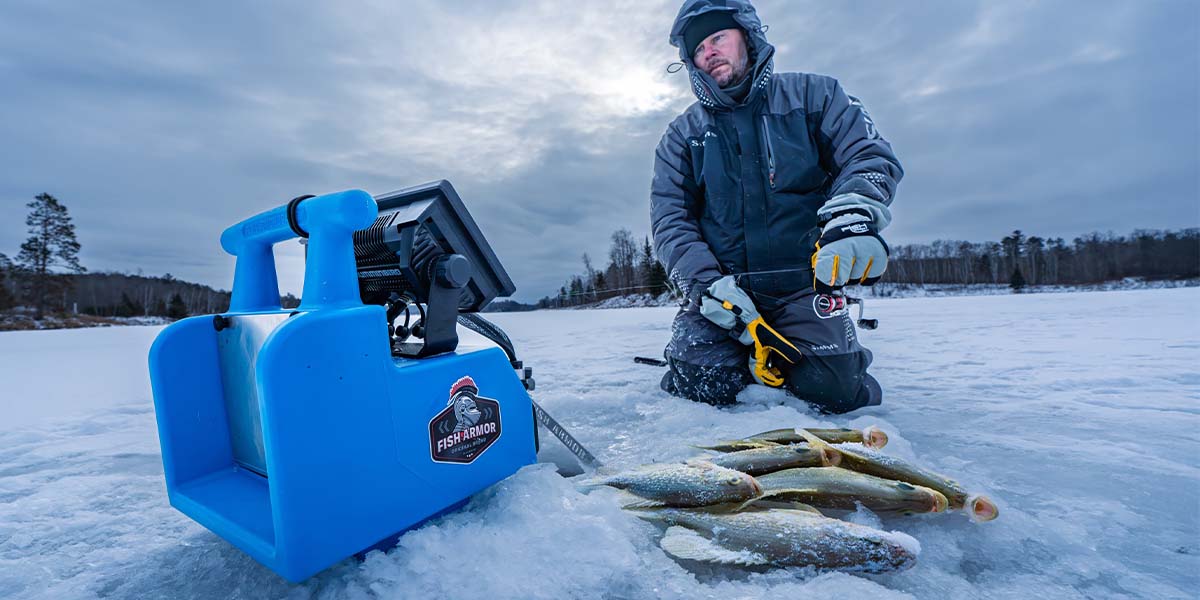
You can purchase a third-party shuttle (example shown below) that fits your battery and mounting needs or pair the Humminbird ICE HELIX Shuttle with the ICE XPLORE Shuttle Conversion Kit referenced in the next section.
Do you already own a Humminbird ICE HELIX Shuttle?
Great! Just add the ICE XPLORE Shuttle Conversion Kit to make it compatible with your XPLORE fish finder.
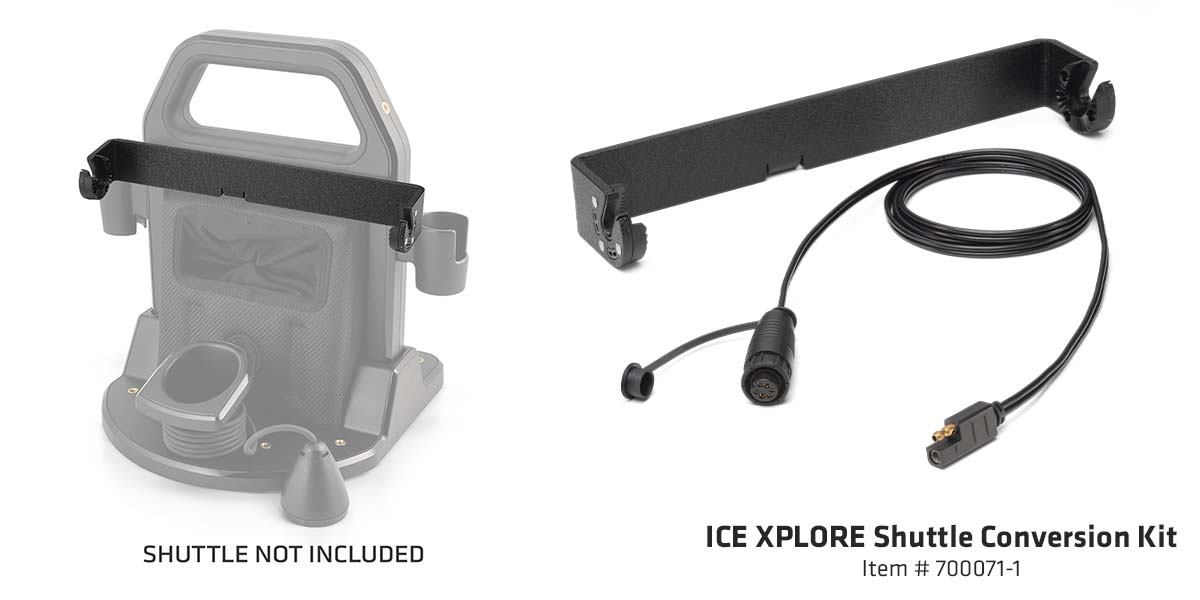
Important Note: This kit includes both the gimbal bracket and power cable, therefore you would not need to purchase the power cable from Step 1.
4. The Best Ice Fishing Battery for Your XPLORE Fish Finder
To power your XPLORE fish finder on the ice, you'll need an ice fishing battery that fits in your shuttle. The battery should be 12v, but another important thing to look at is amp hours (Ah), which determine how long your unit will run.
For longer outings or multi-day trips, look for batteries with higher amp hour ratings. Also, consider if you plan to use technologies like MEGA Live 2 forward facing sonar or even action cameras, or lights, as that will also consume power and reduce runtime.
These days, lithium batteries have become the go-to choice for ice anglers. They're lighter, last longer, and perform better in cold conditions compared to traditional lead-acid batteries. Plus, they tend to recharge faster and maintain consistent voltage throughout the day.
Recommended Ice Fishing Battery for Your XPLORE
We recommend a 12v-14.8v lithium battery with capacity of 15Ah or higher for your XPLORE.
Investing in a quality lithium battery ensures your XPLORE stays powered when it matters most.
Step-by-Step XPLORE Ice Conversion Guide
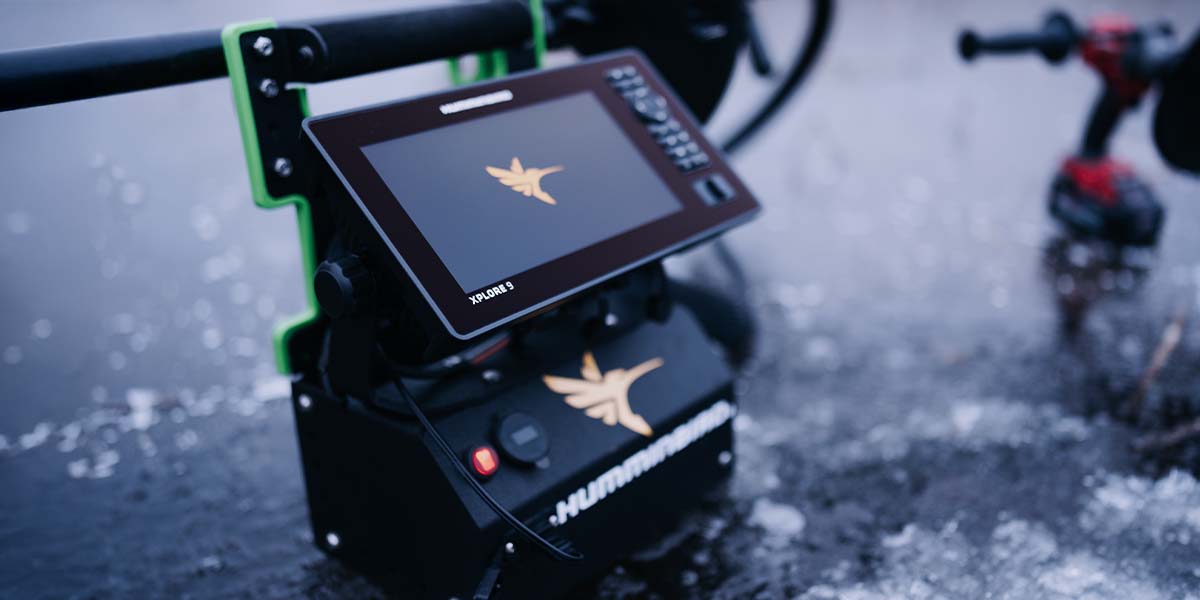
Step 1: Mount Your XPLORE to an Ice Fishing Shuttle
If you're using the ICE HELIX Shuttle, install the ICE XPLORE Shuttle Conversion Kit. This bracket adapts the shuttle to securely hold your XPLORE unit. Follow the included instructions for a snug, stable fit.
If you're using a third-party ice fishing shuttle, follow the included instructions to mount your XPLORE gimbal bracket and fish finder to the shuttle.
Step 2: Connect the XPLORE Ice Power Cable
Plug the ICE XPLORE Power Cable into your XPLORE unit and connect it to a 12V battery mounted on your shuttle. Make sure all connections are secure and weather-protected.
Step 3: Attach the ICE Transducer
Connect the XPLORE ICE Transducer to your unit and lower it into the ice hole. The transducer is designed to hang vertically, giving you accurate sonar readings directly below. Adjust the float as necessary based on ice thickness.
Step 4: Power Up the XPLORE and Switch to Ice Mode
Ice Mode optimizes your XPLORE for ice fishing with a consolidated home screen, traditional flasher and 2D views (with installed XPLORE Ice Transducer), ice-themed waypoints, battery runtime monitoring, and more.
To get access to the Ice Mode user interface, ensure that your XPLORE is on the latest version of software. Head over to the Humminbird Software Updates Page to locate the XPLORE software and instructions.
How to Switch an XPLORE From Open Water to Ice Mode
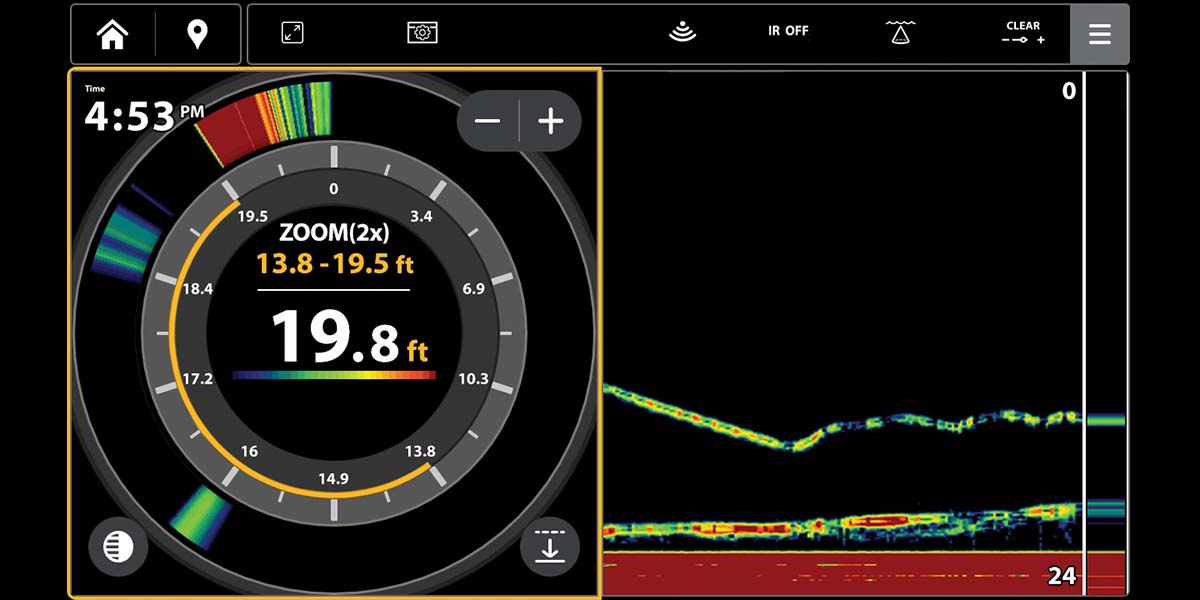
To switch your XPLORE interface from open water to ice mode, please follow these instructions:
- Power on your XPLORE fish finder
- Navigate to the Home Screen
- Select Settings
- Under the "User Preferences" tab, tap "Ice Fishing" under the Fishing Mode Section
- Select "Confirm". Now your XPLORE is in Ice Fishing Mode
It's Time to Convert Your XPLORE for Ice Fishing
With your XPLORE fish finder ready for ice fishing, you're equipped to chase fish all winter long.
\Whether you're targeting panfish in shallow bays, schools of crappies in basins, or hunting down walleye, your XPLORE gives you the clarity and control to make every trip count.